🚀 Quick Start
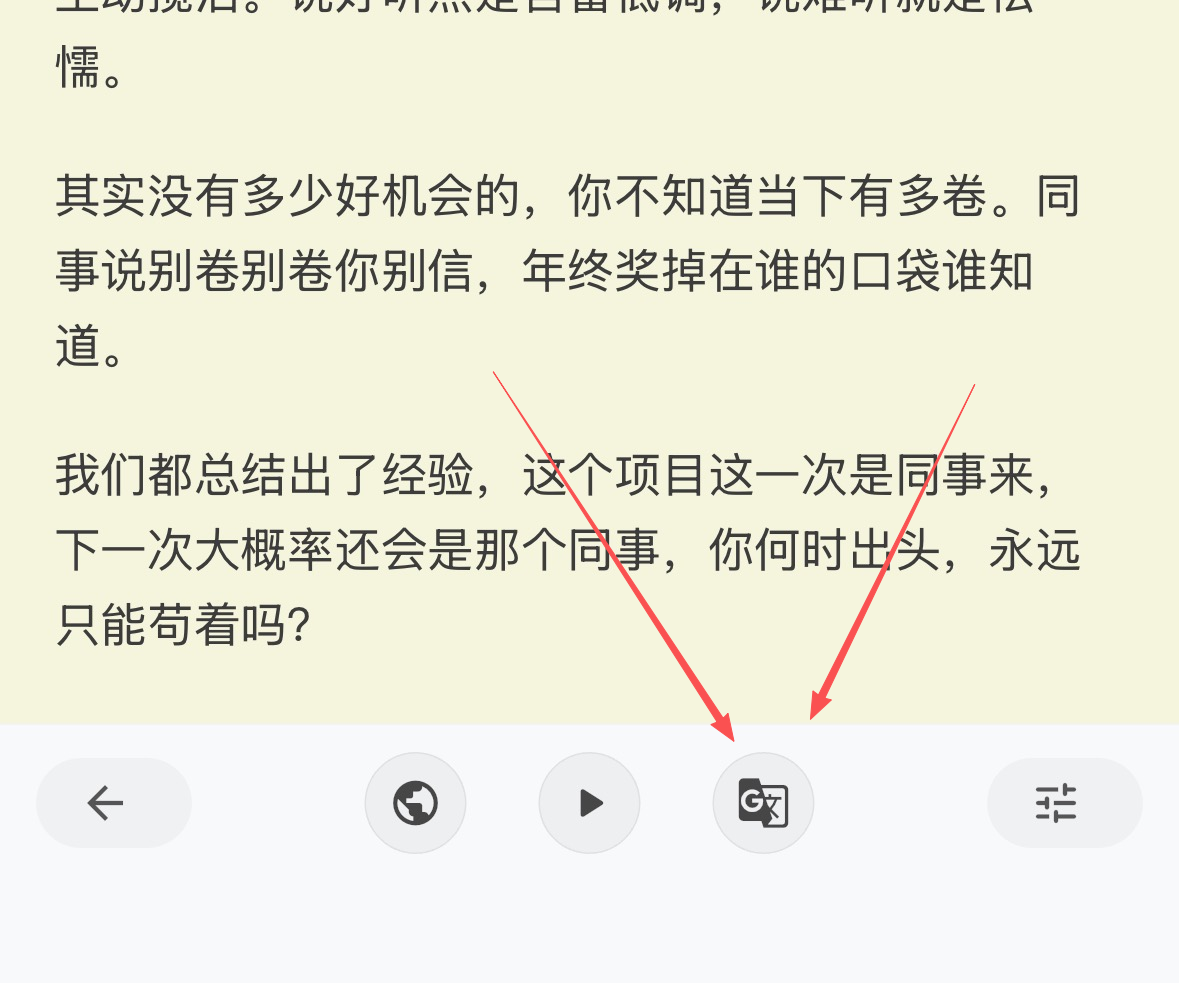
- Open the action bar at the bottom of the article page and tap the
AI Translatebutton on the right - Choose a target language from the list (e.g., English, Japanese, German)
- Select a translation mode:
Full TranslationorBilingual View - Tap
Translateto start; when finished, tapViewto switch to the translation
⚠️ Important Reminders
Important Reminders
- Translation runs in the cloud and may take time, typically 1–2 minutes
- Keep your network connected and stay on the article page while waiting
- On first use a prompt appears; subsequent waits may vary with content length and model load
- If
AI Translate quota insufficientappears, top up and try again
🔧 Translation Modes
Full Translation: translates the entire article into the selected language; ideal for focused reading and text-to-speechBilingual View: displays source and translation side by side; helpful for context understanding and word learning- You can switch modes anytime; for the same language, the two mode states are managed independently
🌍 Supported Languages
- Source (no translation) and multiple target languages: English, Japanese, Korean, French, German, Spanish, Russian, Arabic, Portuguese, etc.
- The article's source language may vary; the system adapts automatically when you choose a target language
📋 Steps
- Tap
AI Translateat the bottom of the article page - In the list, choose
Full TranslationorBilingual Viewfor the target language - Button states:
Not Translated→Translating→Translated; on failure it showsRetry - After completion, tap
Viewto switch to the content for that language and mode - Tap
Originalanytime to return to the source-language view
🧠 Model Selection (Advanced)
- Tap
Select Translation Modelat the top of the translation popup - Requires membership; once enabled, select models better suited for long-form and professional domains
❓ FAQ
FAQ
- Unable to start translation: check network and membership status; if quota is insufficient, top up as prompted
- Stuck on
Translating: the content may be long or the model busy; please wait or try again later - Translation failed: tap
Retry, or switch to another language/mode and try again - Read aloud the translation: after switching to the translation, use the bottom
Voice Playbackto read source/translation aloud
✅ Tips
Tips
- For study scenarios, prefer
Bilingual Viewfor smoother comprehension - For long articles, start with
Full Translation, then switch toBilingual Viewfor close reading - For technical terms and jargon, combine with
Look Upto understand in context